
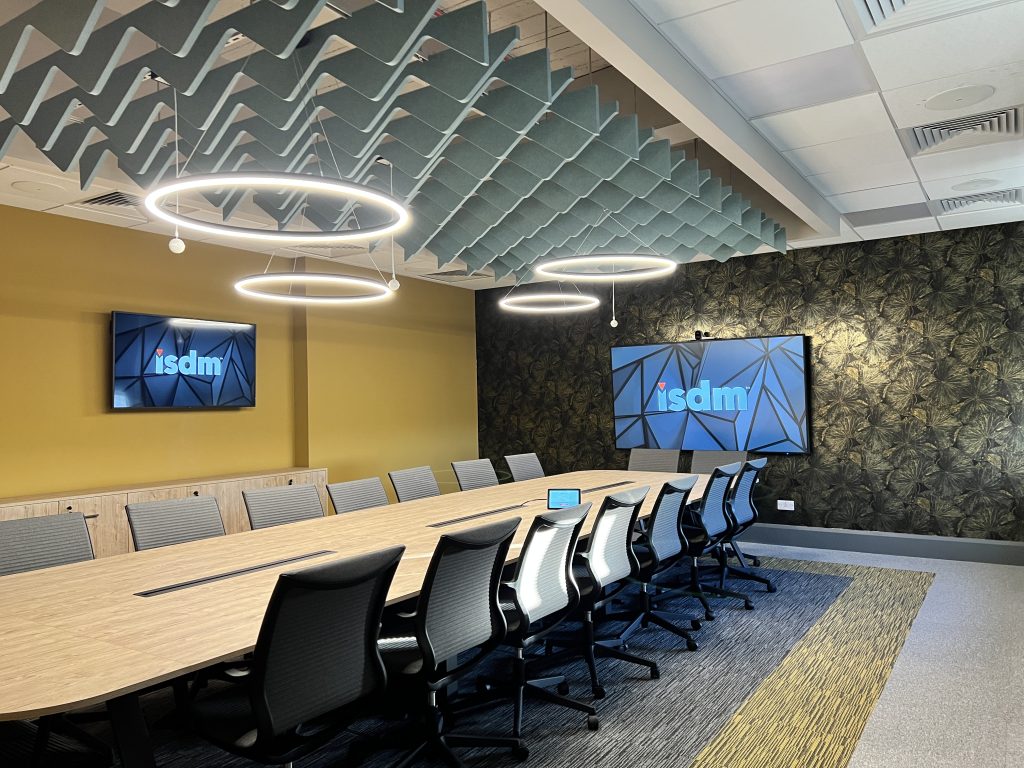
The modern workplace is becoming increasingly flexible. Organisations are rethinking how their spaces are used, with traditional meeting rooms evolving into environments that accommodate workshops, hybrid training, presentations and collaborative sessions.
This shift is changing what businesses need from their workplace technology.
Recent research from Sony highlights this growing complexity, with organisations facing increasingly varied AV requirements across different workplace environments. As spaces take on multiple functions, choosing technology that can adapt to different activities is becoming an important consideration for workplace decision-makers.
For organisations planning an office refurbishment or workplace technology upgrade, getting these decisions right from the outset can make a significant difference to usability, performance and long-term value.
So, where should you start?
Start With the People, Not the Products
With so many AV and collaboration solutions available, it’s tempting to begin by comparing equipment.
But before choosing cameras, displays or conferencing systems, the most important question is: What does this space need to do and what will be the intended use?
Consider a training room that also serves as a collaborative workspace. During the morning, it might host a presentation for 30 employees. By the afternoon, it could be rearranged for smaller group workshops. The following day, it may need to accommodate a hybrid meeting with colleagues joining remotely.
Each activity places different demands on the technology.
A presentation requires clear content visibility and reliable audio, while an interactive workshop may need wireless content sharing and the ability for participants to contribute from different areas of the room. Hybrid sessions introduce further considerations around camera coverage and microphone placement.
Understanding these requirements early helps ensure the technology is designed around how people work, rather than forcing employees to adapt to the equipment.
It also allows AV requirements to be considered alongside room layouts, furniture, lighting and acoustics before refurbishment plans are finalised.
Flexibility Shouldn’t Come at the Expense of Simplicity
A room designed for multiple activities needs technology that can adapt just as easily.
However, adding more functionality doesn’t automatically create a better experience.
If employees need technical assistance every time they change the room layout or start a meeting, the technology may be creating more problems than it solves.
The key is finding the right balance between flexibility and ease of use.
For example, a divisible training room may require audio, displays and control systems that can operate independently when the space is separated, then work together when the partitions are opened.
Camera positioning and microphone coverage also need to account for different seating arrangements, particularly when remote participants are involved.
Where possible, a consistent user interface across different rooms can make the technology more familiar and reduce the learning curve for employees.
Flexible AV Design in Practice: Walker Morris
ISDM’s work at the Walker Morris headquarters in Leeds demonstrates how technology can support a variety of workplace activities.
As part of the project, ISDM delivered AV solutions across different meeting and collaboration environments, including a three-way divisible event space designed to accommodate a range of activities.
Using Q-SYS technology, the space can be configured to support different room arrangements, while standardised Microsoft Teams Rooms solutions across the wider workplace provide a familiar meeting experience.
The result is a workplace where technology supports the different ways people need to collaborate, without requiring a completely different approach in every room.
What Happens Behind the Screen Matters Too
When planning a new training room, attention naturally goes towards the technology people can see: displays, cameras, microphones and room controls.
But the infrastructure supporting these systems is just as important.
Video conferencing, wireless content sharing and connected workplace devices all rely on reliable network performance.
For example, a room might have high-quality conferencing equipment, but if the network struggles to support multiple video calls or connected devices, the experience can quickly become frustrating.
This is why AV and network requirements should be considered together during the planning process.
Network capacity, Wi-Fi coverage, security and future scalability can all influence how effectively a space operates.
For organisations upgrading multiple rooms or locations, a consistent approach can also simplify ongoing management and reduce the demands placed on internal IT teams.
At ISDM, our expertise extends beyond AV into enterprise networks, allowing us to consider the wider infrastructure needed to support connected workplace environments.
Are Your Spaces Being Used as Intended?
Designing a flexible workplace is one thing. Understanding whether those spaces are meeting employee needs is another.
A large training room may be regularly booked but rarely used at full capacity. Meanwhile, smaller collaboration areas could be in constant demand.
Without reliable information, it’s difficult to know whether the workplace is being used as effectively as possible.
This is where intelligent building technology can add value.
Room booking platforms, occupancy sensors and workplace analytics can provide insight into how spaces are being used, helping organisations identify trends and make more informed decisions.
For workplace and property teams, this information can support future decisions about room layouts, space allocation and technology investment.
It can also help ensure that as workplace requirements change, the environment can evolve alongside them.
With So Many Options, How Do You Know What’s Right?
Choosing workplace technology has become increasingly complex.
Neat, Cisco, Logitech, HP Poly, Yealink and other manufacturers all offer collaboration solutions with different capabilities, features and approaches to the user experience.
While product specifications can help narrow down the options, they don’t always tell you how a solution will perform in your particular environment.
And when every manufacturer is promoting the benefits of its own technology, making a confident decision can be difficult.
Sometimes the best way to understand the differences is to experience them for yourself.
Explore the Technology at ISDM’s Halifax Demo Suite
That’s why we’ve invested in our dedicated demonstration suite at Dean Clough Mills in Halifax.
With many technology demonstration facilities concentrated in London and the South East, our Halifax location provides organisations across Yorkshire, the North West and the North East with a more accessible opportunity to explore workplace technology firsthand.
The facility features a wide range of solutions, including:
- Neat collaboration devices
- Cisco, Yealink, HP Poly and Logitech meeting room technology
- Sony, Sharp NEC and LG professional displays
- Digital signage content management platforms
- Room booking and workplace experience solutions
But the equipment is only part of the experience.
As a vendor-agnostic integrator, ISDM works with multiple manufacturers, allowing our solutions consultants and design team to provide an objective comparison based on your requirements.
Whether you’re planning a new training room, upgrading meeting spaces or exploring technology for a wider refurbishment, you can bring your room plans and intended use cases to the demo suite.
Our team can then demonstrate different solutions side by side, explain their strengths and limitations, and help you understand which options are best suited to your environment.
It’s an opportunity to move beyond product specifications and see how the technology could work in practice before making an investment.
The Installation Is Only the Beginning
Even the most carefully designed training room won’t deliver its full value if employees aren’t confident using it.
This is particularly important in multipurpose environments, where different teams may need to operate the same technology in different ways.
If starting a video call, sharing content or adjusting room controls becomes a complicated process, employees may avoid using certain features altogether.
That’s why training and adoption should be part of the planning process, not something considered after installation.
At ISDM, our Customer Success Manager works directly with customers to develop training materials tailored to their installation.
From bespoke quick-start guides to on-site training days and live demonstrations, the aim is to give employees the knowledge and confidence to use their technology effectively.
Ongoing technical support is equally important, helping organisations maintain system performance and resolve issues before they cause unnecessary disruption.
By investing in both the technology and the people using it, businesses can achieve greater long-term value from their workplace environments.
Getting Workplace Technology Right From the Start
The most successful training rooms and multipurpose workplaces aren’t necessarily those with the most advanced technology.
They’re the spaces where everything works together to support the people using them.
That means considering more than individual AV products. Room design, network infrastructure, workplace management, training and ongoing support all contribute to the overall experience.
At ISDM Solutions, we bring these elements together through our expertise in AV Solutions, Enterprise Networks and Intelligent Buildings.
From initial consultation and technology design to installation, user training and support, we help organisations create workplaces that are practical, reliable and ready to adapt.
Planning a Training Room or Workplace Technology Refresh?
Whether you’re designing a new training facility, upgrading existing meeting rooms or creating more flexible collaboration spaces, our team can help you explore the options.
Visit our Halifax demo suite to compare leading workplace technologies firsthand, or speak to our team about your room requirements.
Get in touch with ISDM Solutions to start planning your next project.